UltraNotch
UltraNotch: Claude and Codex limits, music and sales in the MacBook notch
UltraNotch turns the Mac notch into a panel you open by pointing at it: AI usage limits, music, your calendar, sales, weather and more. $14.99 once after a 7-day trial.
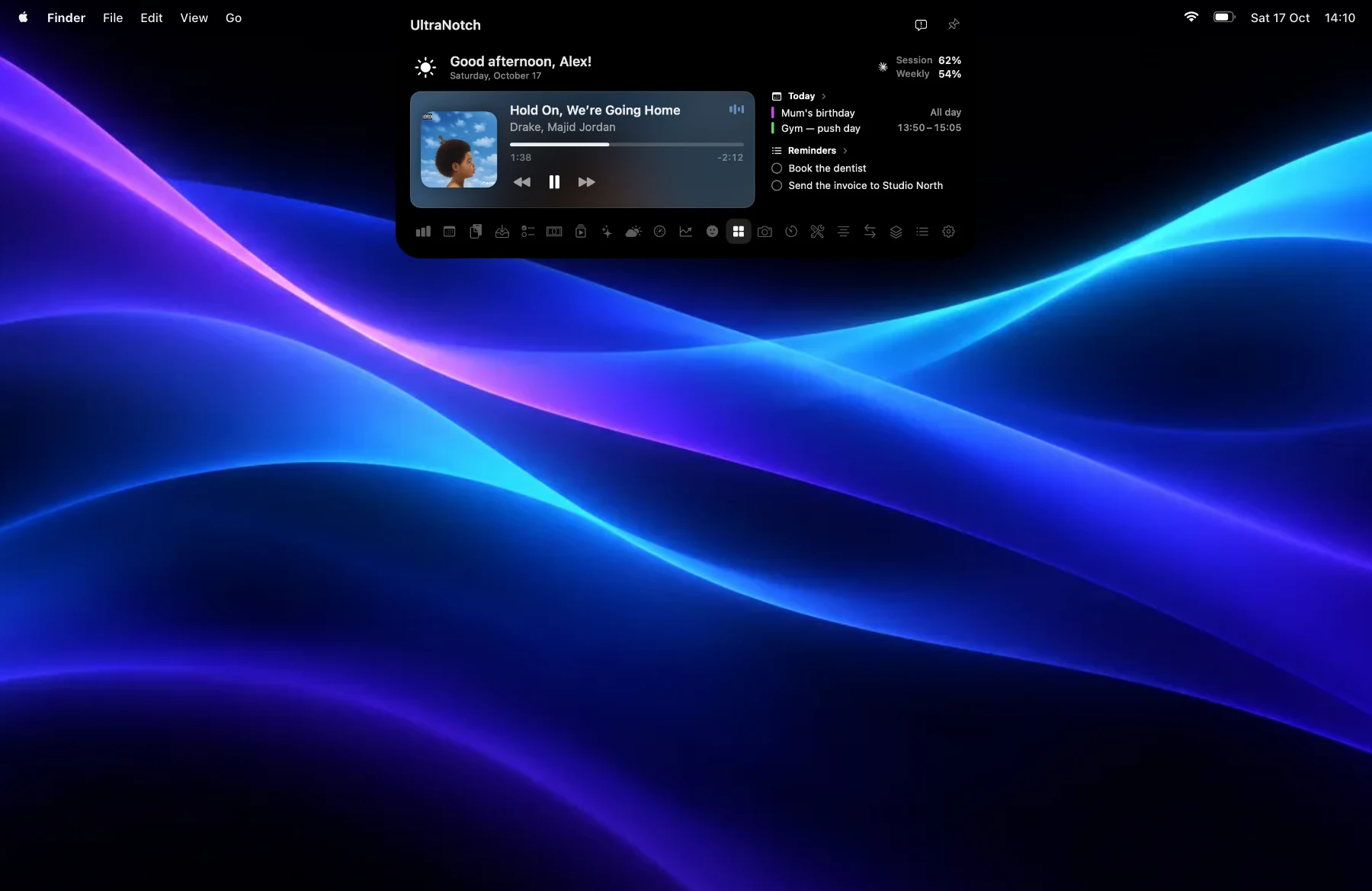
One glance up
UltraNotch turns the MacBook notch into a panel of small apps. Point at the notch and it opens. Move away and it folds back. On a display without a notch, it waits at the top edge.
Things that happen while you work, like a sale, a charge, a volume change or a new song, show up beside the notch as Live Activities and leave on their own.
Your AI limits before you hit them
The AI Usage page shows your Claude and Codex limits across your accounts, with a forecast of your pace, so you see what is left before you hit the wall.
Everything else inside
The notch holds more than it looks like it could:
- Music, your next event and the month ahead, and the week’s weather.
- Sales from Stripe, Shopify, Etsy and others through a read-only key or a webhook.
- Reminders from the Reminders app or a plain Markdown task list.
- Clipboard history with pictures, files and links.
- Ask Ultra: chat on device with Apple Intelligence, or with ChatGPT and Claude models.
- Stocks as percentage change, never balances.
- A shelf for files and AirDrop, your chosen Shortcuts, timers, a stopwatch and Pomodoro.
- CPU, memory, disk, network and battery, plus a camera mirror, a teleprompter, quick notes, unit conversion and an emoji picker.
Private by default
Your keys stay in your Keychain and your sign-ins never leave your Mac. There are no ads, only anonymous usage counts. It is a native Swift and SwiftUI app for macOS 14 or later.
Price and install
UltraNotch is free for 7 days, then $14.99 once for up to 3 Macs. No subscription, with a 14-day money-back guarantee. Paste this into Terminal to install it, or read more on notch.thatlev.com.
curl -fsSL https://notch.thatlev.com/install.sh | shQuestions
Can UltraNotch show my Claude usage limit?
Yes. It shows Claude and Codex limits across your accounts, with a forecast of your pace.
Does UltraNotch work on a Mac without a notch?
Yes. On a display without a notch, it waits at the top edge of the screen.
Is UltraNotch a subscription?
No. It is free for 7 days, then $14.99 once for up to 3 Macs, with a 14-day money-back guarantee.
Which macOS does UltraNotch need?
macOS 14 or later.