Kelvin
Kelvin: a MacBook battery charge limit with heat protection and power per app
Kelvin keeps a plugged-in MacBook at the charge you choose, pauses charging when the battery runs hot and shows which apps use your power. Free while in preview.
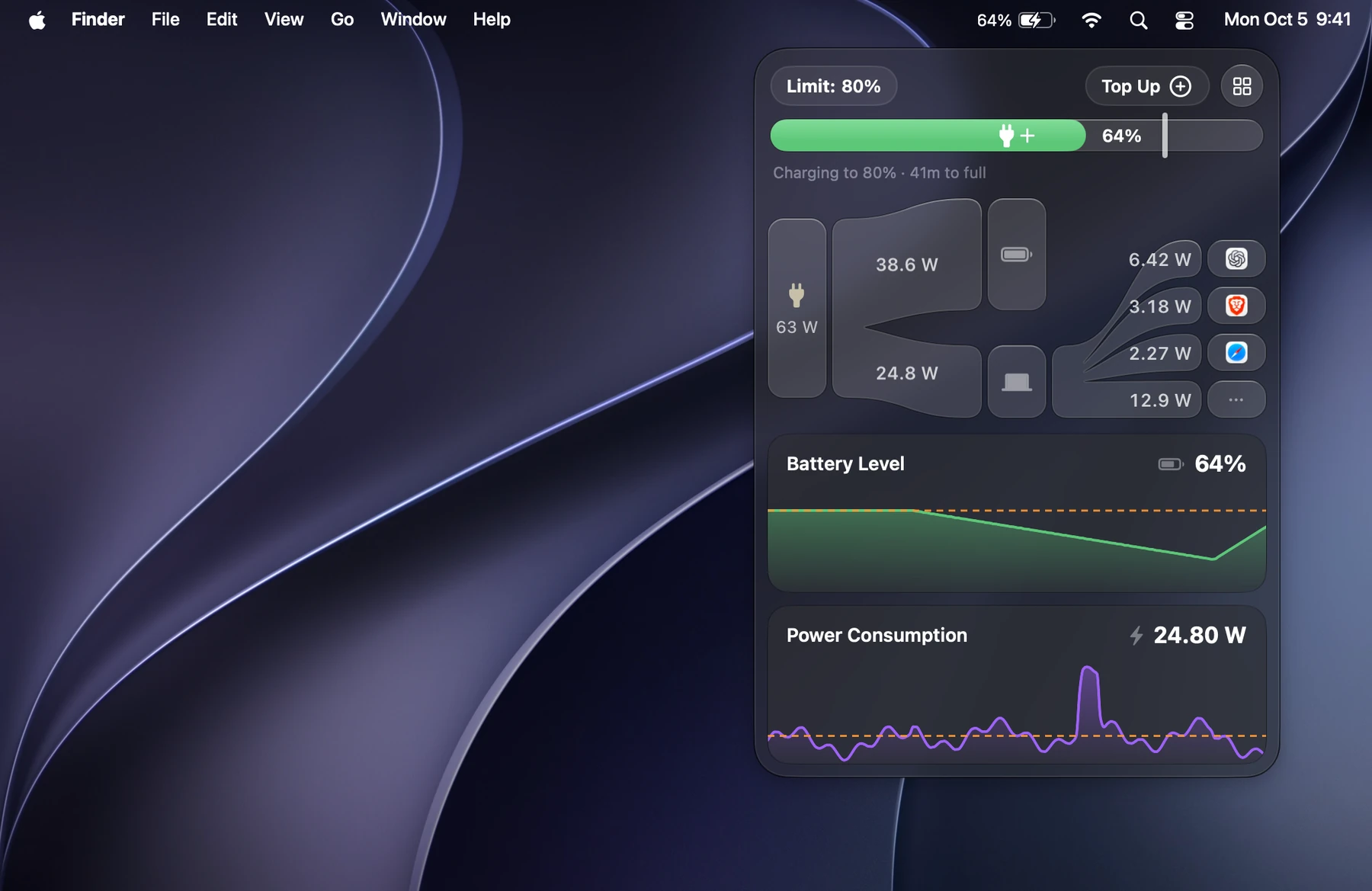
A battery that stays plugged in
If your MacBook lives on a charger, the battery spends its days at 100%. Kelvin keeps it at the level you choose instead, anywhere from 20% to 100%, using the charge limit built into macOS, so nothing has to keep polling the hardware.
Coasting lets the battery drift a few percent below the limit before charging again, instead of topping up all day.
Heat Protection and the rest
Heat Protection pauses charging while the battery is warmer than a limit you set, in Celsius or Fahrenheit, 35 °C by default once you turn it on. Top Up charges to 100% once when you need a full battery.
- Charge limit, Coasting, Top Up, Discharge and one-click Calibration.
- A menu bar icon drawn like the macOS battery, with bolt, plug and flame states.
- Schedules, Shortcuts actions and an import of AlDente’s settings.
Where every watt goes
The popover draws power coming from the adapter and the battery, running the Mac and branching into each app drawing a few watts or more, with its icon. Power per app is an estimate, like Activity Monitor’s.
History of battery level, power, temperature and energy by app stays in a small database on the Mac. Kelvin has no account and no analytics.
Install
Kelvin is free to try while in preview, for MacBooks with Apple silicon on macOS 26 or later. Paste this into Terminal, or read more on kelvin.thatlev.com.
curl -fsSL https://thatlev.com/kelvin.sh | shQuestions
Can a Mac stop charging at 80%?
Yes. Kelvin sets the charge limit built into macOS anywhere from 20% to 100% and keeps the battery there while the Mac is plugged in.
Does Kelvin work alongside AlDente?
Kelvin imports AlDente’s settings on first launch and only watches while AlDente is running, so the two never fight over the battery.
Which Macs does Kelvin support?
MacBooks with Apple silicon on macOS 26 or later. Without the macOS charge limit, Kelvin only monitors.
Is Kelvin free?
It is free to try while in preview. Each Mac gets a free preview license automatically.