Sticker how-to
How to add your own stickers to iMessage, WhatsApp and Telegram
Turn transparent PNGs into stickers in iMessage, WhatsApp and Telegram, the file sizes that work, and why a sticker sometimes arrives inside a white box.
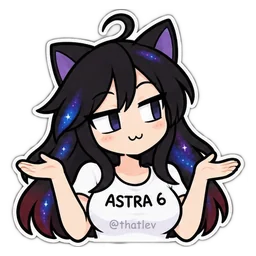
Start with the right file
A sticker is an image with a transparent background. 512 by 512 pixels works well in every app. Use PNG, not JPEG: a JPEG has no transparency, so the sticker arrives in a white or black box. For WhatsApp, a WebP under 100 KB is the safe choice.
Save the images to Photos or your phone’s gallery first. Each app below picks them from there.
iMessage on iPhone
Open a conversation, tap +, then Stickers, then the add-sticker control, and choose the saved image.
iOS may offer to cut out the subject. If your image already has a clean transparent edge, check the preview before adding it: the cutout can trim a white outline you wanted to keep. Apple’s instructions cover the current controls.
Open a chat, open the sticker picker and choose Create. Pick a saved PNG, check the preview and save it. Repeat for each sticker you want. The exact buttons depend on your app version, and WhatsApp’s help page has the latest steps.
WebP files are for sticker-maker apps that import whole packs. A ZIP of images will not install itself.
Telegram
The simplest way is to send the PNG in a chat as a photo or a file. Telegram also has a built-in sticker editor that turns images into a sticker set.
A published set gets a link anyone can open and add. Only publish sets of art you have the right to share. For a paid pack, send single stickers in your chats instead.
If your sticker has a box around it
A box, a black square or a missing outline almost always comes from the file, not the app.
- It is a JPEG. Export or download it again as a PNG.
- It is a screenshot. Screenshots flatten the background, so use the original file.
- An editor saved it without transparency. Export again as PNG with transparency on.
- The iOS cutout trimmed it. Add it without the cutout, or send it as an image.
Ready-made packs
If you want stickers of AI models as characters, I make them: Chat stickers has 27 reactions for $6 and Emotional support stickers has 46 for $8. Both come as 512 by 512 PNGs and WhatsApp-sized WebPs, with these steps in the download. More in AI model girl stickers.
Questions
What size should a chat sticker be?
512 by 512 pixels with a transparent background. For WhatsApp, a WebP under 100 KB.
Can I turn any PNG into an iMessage sticker?
Yes. Save it to Photos, then in Messages tap +, Stickers and the add-sticker control, and choose the image.
Why is there a white box around my sticker?
The file has no transparency, usually because it is a JPEG or a screenshot. Use a transparent PNG.
Can I publish a paid sticker pack as a Telegram set?
Check the pack’s license. ThatLev packs allow sending single stickers in any chat, but not publishing the pack as a public set.